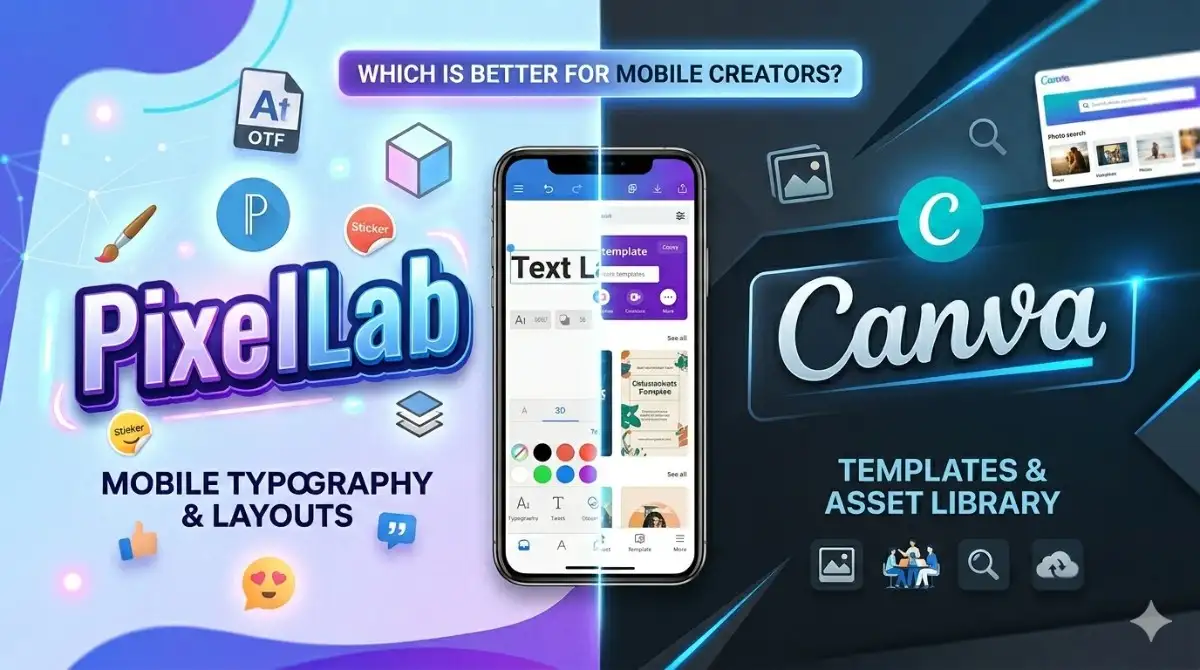
In terms of graphic design, the most talked about two programs are “Pixellab” and “Canva. ” Both of them promise to make it easy and affordable to create visually stunning designs or logos. But which one should we choose is really up to you – a business owner, graphic designer, marketer, or someone just looking for a tool to create visually appealing designs? Either way, they both have their pros and cons.
In this review, we are going to compare “Pixellab” vs. “Canva” depending on key metrics such as friendly use, design capabilities, customization and pricing, but we’re also going to look into some of the common issues users face, specifically limited templates, flexibility and the learning curve, so that you’ll be able to better decide which tool you want to use for our design projects.
Why Canva is the perfect Tool for newbies?
A graphic design website, Canva is both suitable for professional use and for beginner’s who don’t require deep knowledge of graphic design. For beginners, It’s filled with thousands of templates for everything from social media posts to business presentations. And since it has built-in collaboration features, it is also cloud-based, so we can be used for team projects. Canva is free, and it offers more advanced tools (Canva Pro) and access to an extensive stock library.
Key Features of Canva:
Supports multiple file formats.
Drag-and-drop interface.
Extensive template library.
Team collaboration tools.
Integrations with other platforms.
Pixellab: lightweight, Yet pixellab-rich
Pixellab is a mobile first graphic design application developed as a text editing and basic graphic design tool. It is well known for adding creative text effects, stickers and simple design types. Pixellab is especially popular with mobile content producers and users who are looking for lightweight design tools.
Key Features of Pixellab:
Export options for high-quality images.
Advanced text editing with 3D text, shadows, and gradients.
Ability to add shapes, stickers, and images.
Works offline without requiring an internet connection.
Lightweight and optimized for mobile devices.
Pixellab vs Canva: Full Comparison
Ease of Use
Canva: Canva’s simple drag-and-drop nature will help those who are beginners. While the selection of pre-defined templates will help you streamline the process.
Pixellab: It’s easy to use (even with the short UI) but it focuses on mobile first, and that can be limited if we’re used to desktop apps.
Features and Functionality
Canva: With more than 1300+ features, including photo editing, 3D modeling and more, Canva is the go-to tool for any design project, whether you’re a professional or just working on a hobby.
Pixellab: Pixellab is all about text editing, which is great for those of us on the go, but not as versatile as the Canva features are.
Templates and Resources
Canva: There ‘s an extensive library of free and premium templates, stock images and design elements.
Pixellab: Offers simple templates, but design customization is mostly up to user input.
Performance
Canva: Web and app based, so requires stable internet connection to work.
Pixellab: With offline functionality you also have a lot of advantages over connected mobile devices.
Pricing
Canva: Includes basic functionality in the free version and some additional features and resources on a subscription basis.
Pixellab: free but requires in – app purchases to access more advanced capabilities.
Pixellab Pros and Cons
Pros
Cons
Excellent text customization features.
Limited design resources compared to Canva.
Lightweight and optimized for mobile use.
Concentrated on mobile users.
Works offline.
Lacks team collaboration tools.
Easy to learn and use
Canva Pros and Cons
Pros
Cons
Very large selection of templates and design elements
Most of it requires the internet to use
Best for beginners & professionals
But you ‘ll need to buy a subscription to use all premium features
Supports team projects with collaborative tools
ExtensExtensive stock image library
Pixellab Vs Canva key highlight
Features
Pixellab
Canva
Multi-Layer Editing
Yes
Yes
Templates
Minimum amount of Templates
All Templates are Available
Image Export
4k-Ultra
4k-Ultra High+
Cloud Storage
No
Yes
Background Remover
Yes
Yes
Platform Availability
Android only
Android, iOS, and Windows
Filters&Effects
less Filters and Effects
Huge amount of Filters and Effects
Languages
Multiple Languages
Multiple Languages
Auto-Save
Yes
Yes
User-Interface
Simple, beginner, and user-friendly
Advanced and user-Friendly
Fonts
Yes
Yes
Shapes
Yes
Yes
Stock Media
No
All Media Available (Images, Videos, etc.)
Pricing for Paid Acess
Pixellab
Canva
13.8$ per Year, include stickers, Effects and Templates.
55$ per Year Premium content Unlocked. Tools and Ai Features
Which One to Choose: Pixellab or Canva?
Pixellab or Canva depends a lot on what you need for design and your preferred platform.
Pixellab: You should get Pixellab if you’re looking for a lightweight and easy to use text editing and design app for on the go creators (often working offline).
Canva: Make the most of Canva if we’re looking for a solid design tool with more advanced tools, hundreds of resources, and team collaboration. We can use Canva for professional work where we need a professional, versatile tool
Both have their advantages, so we need to look at our specific needs to make the right decision.
FAQS
The best design app for a beginner is Canva. They have templates that can be edited easily and the interface is very simple that makes it super easy to make quick, professional designs. Then there’s Pixellab. It offers more advanced editing features for text and photos but has a slightly higher learning curve. Go with Canva for simplicity and Pixellab for artistic flexibility.
Pixellab runs on Android and iOS. Canva runs on Android, iOS and web browsers. It ‘s accessible via mobile devices, tablet devices and computers.
The Canva provides an extensive library of templates, design resources for a wide range of purposes. Pixellab is more towards text, photo customization and has less templates ready made.
Hannah Mike is a seasoned technology and digital lifestyle expert with over 6 years of experience testing, reviewing, and writing about Android apps, gadgets, online services, and streaming platforms. Holding a Bachelor’s degree in Computer Science with a specialization in Mobile Application Development, she blends academic expertise with real-world insights to deliver in-depth, security-focused guidance. Renowned for her mastery of creative tools like PixelLab, Hannah has helped thousands of users enhance mobile customization, safely download APKs, and explore advanced editing features. Her work spans mobile technology, gadget reviews, streaming service analysis, and digital productivity tools, serving a wide audience seeking trustworthy and practical advice. Committed to accuracy, verification, and user empowerment, she produces high-quality content that enables readers to navigate the fast-evolving tech world safely and efficiently.
Pixellab is a really good application for designing graphic designs like logos and banners. It’s a really great and useful application for mobile device users or social media content creators to impress their audience. On the other hand, Pixellab mod APK does not offer effective tools like Adobe Photoshop and Illustrator. Here we will teach…
What is a plp file? A PLP is a template designed for Pixellab. In some ways similar to how graphic designers share PNG files in Photoshop, this format is utilized by users to have access and play with different types of creative predefined file formats to speed up the design process as well as to…
Pixellab is an extremely versatile graphic design app that lets us create anything from fancy text designs to photo edits. No matter if we ‘re a complete novice or an experienced graphic designer, learning Pixellab can help you turn your creative ideas into reality. In this step-by-step guide, learn the ins and outs of the…
Pixellab is a wide application of graphic design, which has various kinds of fonts and 3D text templates that can make the design project easy for beginners and the professionals. It offers total creative freedom with unlimited custom font support in multiple languages like Urdu, Hindi, Marathi and Bengali. In this tutorial, we will show you how to…
https://pxellabapk.com This review was compiled from user reviews. Today’s image creators need powerful yet user-friendly editing apps for their projects. Pixellab Mod APK has become the go-to editor for influencers, YouTubers, bloggers and digital artists alike. Its many features coupled with its very user-friendly UI help it to make great visuals, thumbnails, posters and social…
Turn Your Designs into Animations with Pixellab Animation is a perfect tool to make your content be noticed by introducing motion to text, images, or objects. It is ideal for making a statement on social media, ads, or presentations. Pixellab is also famous for its user-friendly editing features, and it also provides strong animation capabilities….